Sync Google Calendar Events to Saner.AI
This guide explains how to sync Google Calendar Events to Saner.AI
Written By Saner.AI
Last updated 9 months ago
You can:
Import events from Google Calendar into Saner.AI
Push tasks from Saner.AI into Google Calendar
Keep everything automatically in sync
Here’s a tutorial video (starts at 3:35)
What You Can Sync
When connecting Google Calendar, you’ll choose one sync direction per connector:
Google Calendar → Saner.AI (Events)
Import calendar events into Saner.AI (they will show up in the Saner.AI calendar)Saner.AI → Google Calendar (Tasks)
Turn tasks from Saner.AI into calendar events in Google Calendar.
You can create multiple connectors if you need have many Google accounts
How to Connect Google Calendar
Open Saner.AI
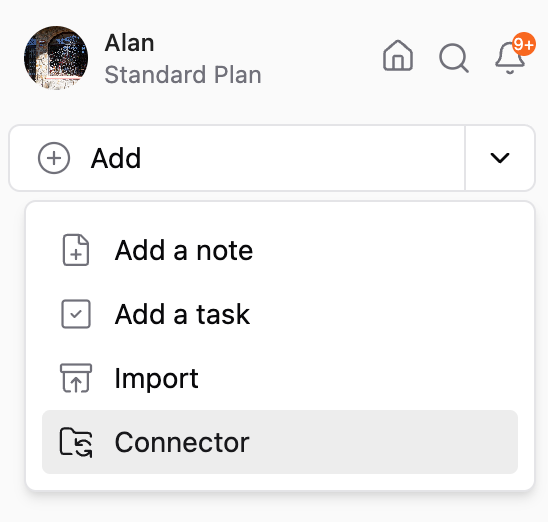
Click the drop-down arrow in the Add button(top-left corner of the app)
Select Google Calendar
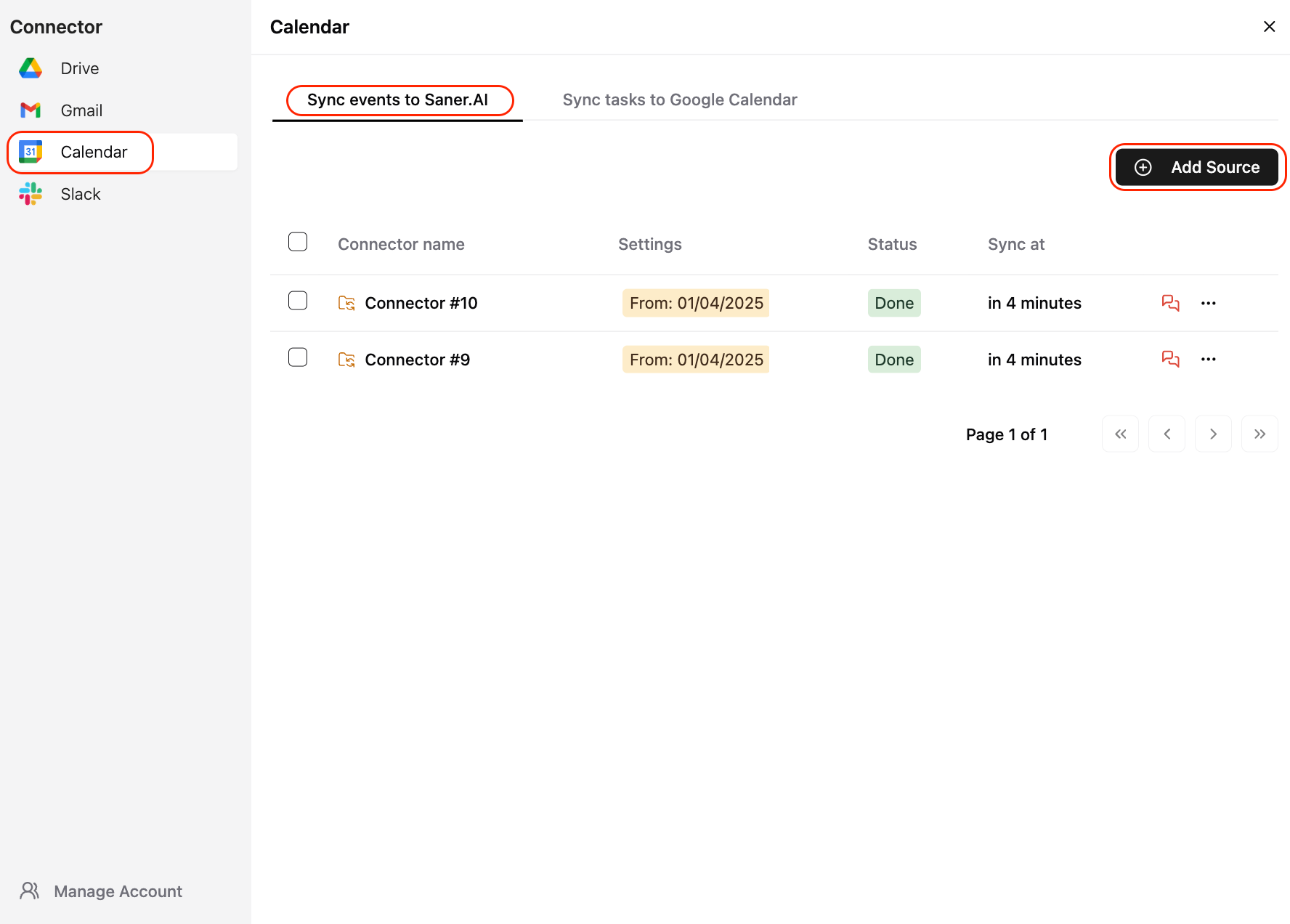
Choose how you want your data to sync
Click Add Source
How to Sync Google Calendar Events to Saner.AI
Use this option to bring calendar events into Saner.AI.
Sync Settings
💡 Tip: Auto-sync is useful if your calendar changes frequently and you don’t want to re-sync manually.
After Events Are Synced
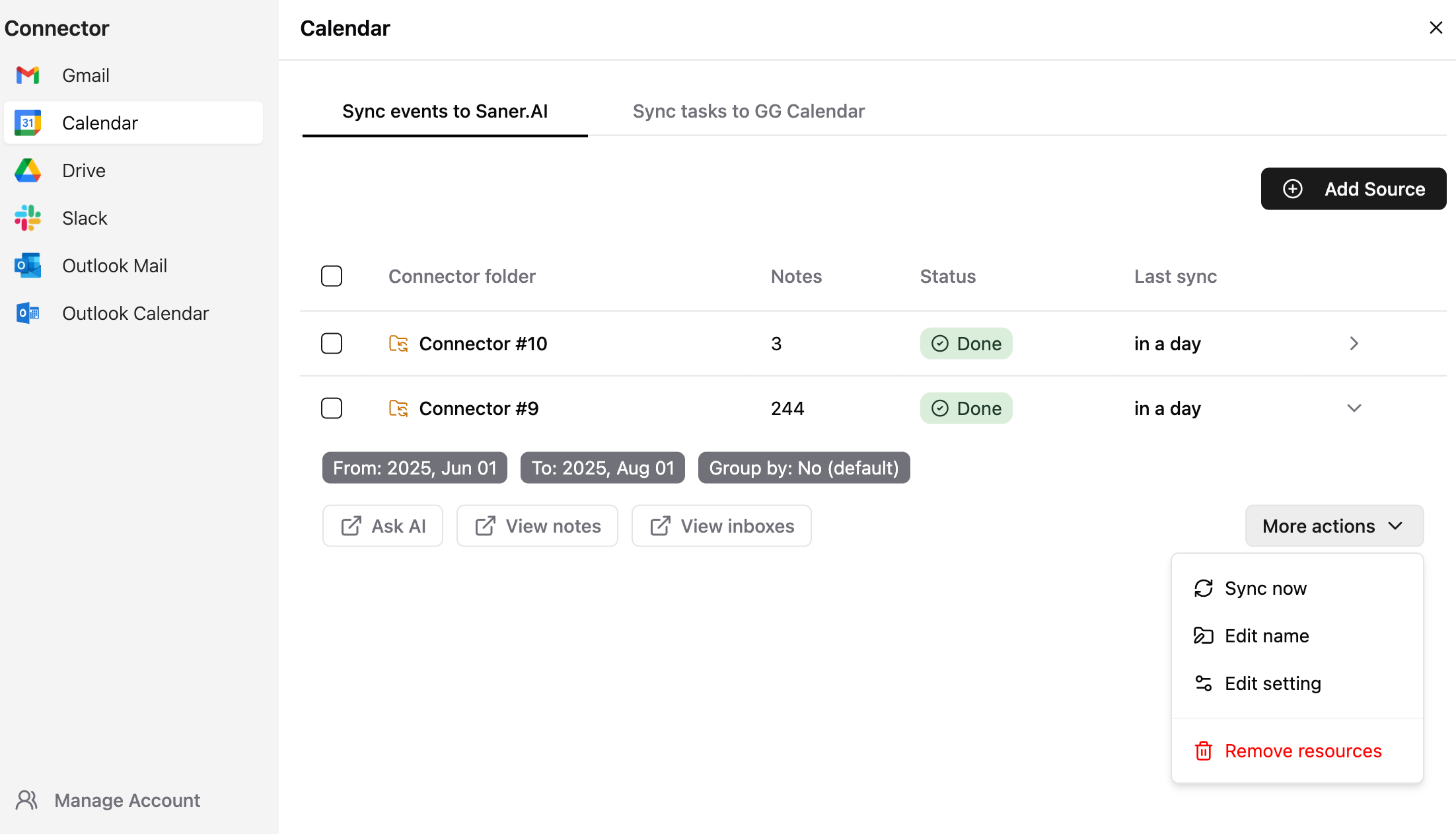
For each synced calendar source, you can:
Sync now – manually pull the latest updates
Edit name – rename the source inside Saner.AI for clarity
Edit settings – adjust filters or date ranges
Remove source – stop syncing this calendar
You can also click:
The connector name → open the synced note in Saner.AI
Ask AI → get summaries or insights from the synced events
View notes / inboxes → organize and process the imported data
Was this helpful?
Still need help? Share an idea