Braindump in Saner.AI
Written By Saner.AI
Last updated 10 months ago
When to Braindump into Saner.AI
Use the Braindump feature when your head feels full, and it’s hard to figure out what to do next.
This is especially helpful when:
You have many thoughts, tasks, or reminders at once
Everything feels urgent or messy
You don’t want to organize things manually right now
Instead of sorting ideas yourself, you can dump everything at once and let Saner.ai structure it for you.
What Happens When You Braindump
Saner.ai reads your input and:
Detects tasks and reminders
Extracts dates, times, and priorities
Suggests a clear, organized task list and plan
You stay in control and can review or edit everything before it’s saved.
How to Braindump into Saner.ai
Step-by-step workflow
Click Ask AI in the top-left corner of the app
Type or voice-dump everything on your mind into the AI chat - no formatting needed
Example braindump:
“I need to call Jack at 3 pm, then I have a meeting at 4 pm. After that I need to go to the supermarket at 5 pm.”
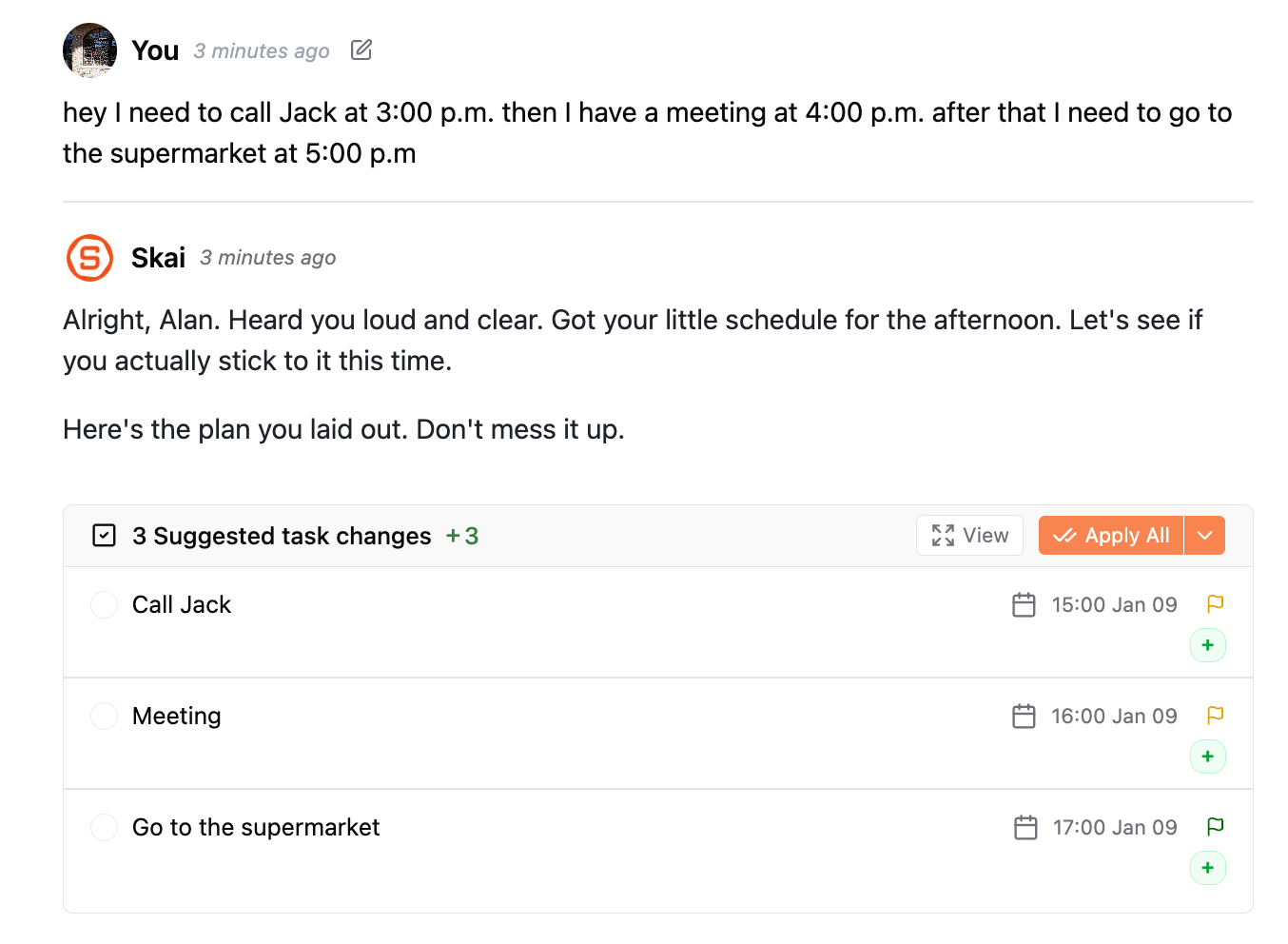
Saner.ai analyzes your input and generates suggested tasks
Review the suggestions in the AI suggestion box
Click any task to edit details like:
Task name
Due time
Reminders
When everything looks right, click Apply All to create the suggested tasks
Tips for Better Results
Don’t worry about grammar or structure
Mix tasks, reminders, and thoughts freely
Use natural language, like you’re talking to yourself
Summary
Braindumping is designed for moments when thinking feels heavy.
You unload everything first - Saner.ai helps you make sense of it afterward.
Was this helpful?
Still need help? Share an idea