How to get automatically extracted action items
How Saner.AI Creates Automated Action Items
Written By Saner.AI
Last updated 9 months ago
Saner.AI can automatically identify and suggest action items from your notes, braindump, and emails. Here’s how:
1. Proactive Daily Insights (Automatic)
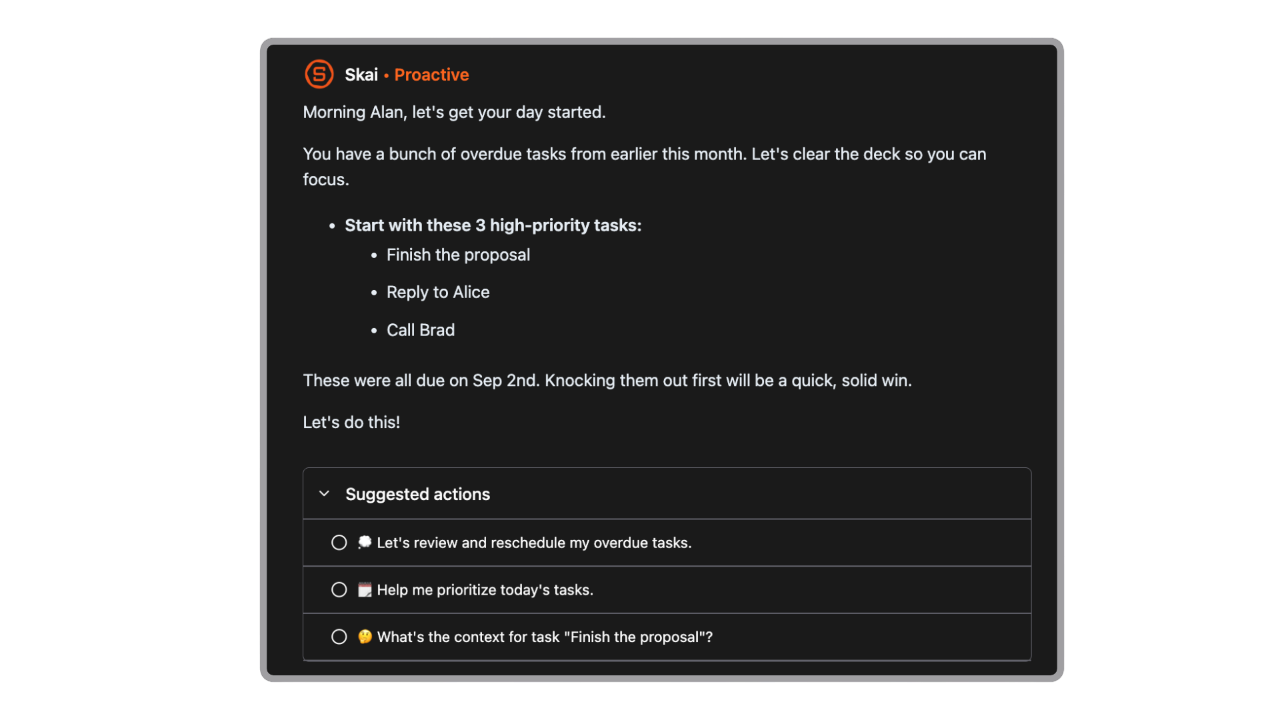
Each day, Skai can proactively review your recent notes, tasks, and emails to surface:
Potential action items
Important follow-ups
Key insights that may need attention
These insights are sent to you automatically, without needing to ask.
You can control this behavior in Settings, including:
When you receive proactive messages
How often Skai reviews your content
This option is ideal if you want Saner.AI to regularly scan your work and highlight what needs action.
2. Ask Skai Directly in Chat
You can also ask Skai to extract action items from specific content whenever you need.
Example prompts:
“What are the action items from my meeting with Alex?”
“Review my recent emails about Project X and pull out the action items.”
This approach works well when you want action items from a specific context or moment.
3. Action Items Suggested in the Inbox
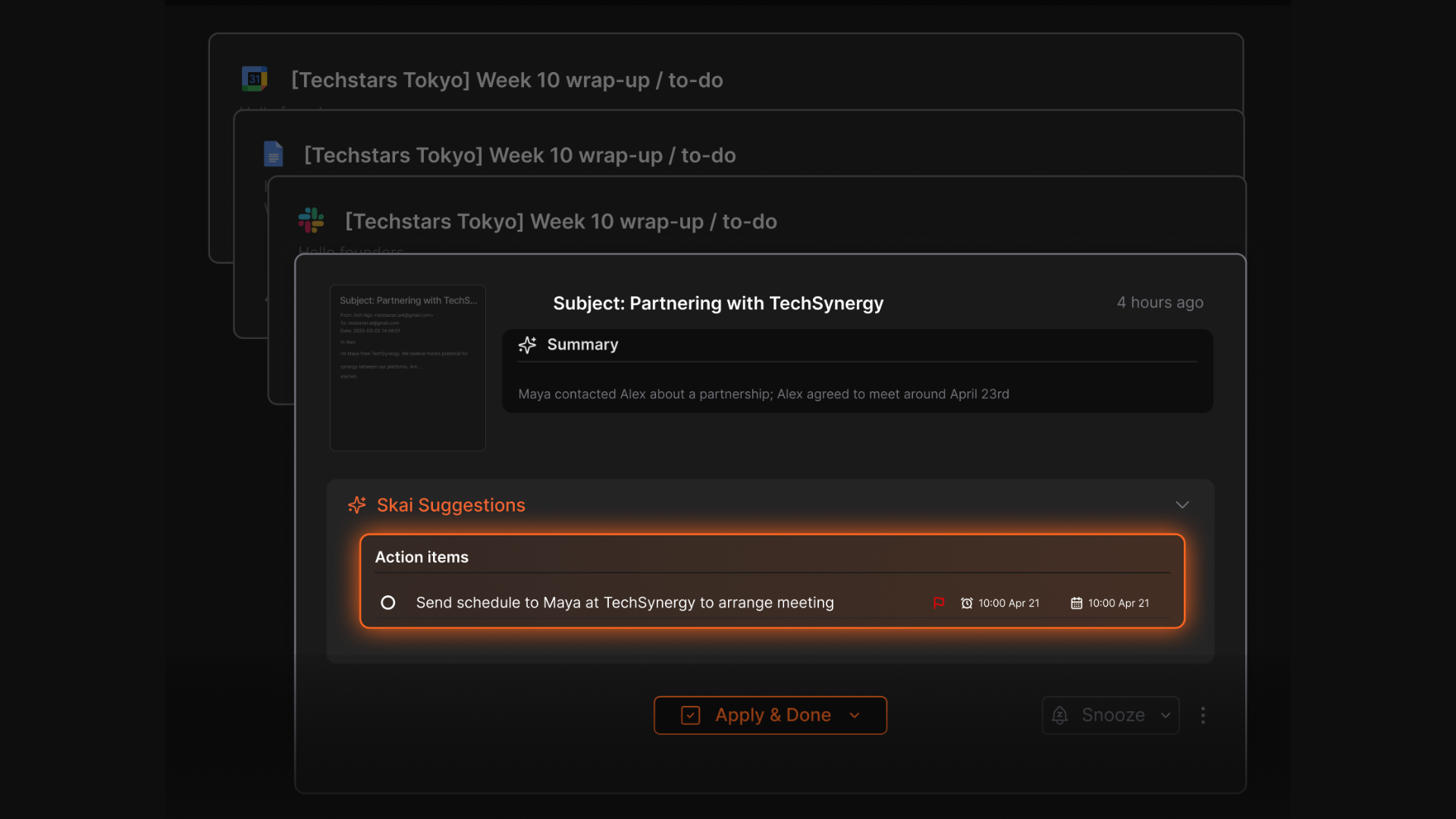
For new incoming emails and notes, Skai automatically suggests relevant action items directly in your Inbox.
From there, you can:
Review the suggested action item
Edit it if needed
Apply it to turn the suggestion into a task instantly
This makes it easy to capture tasks as they arrive, without breaking your workflow.
Was this helpful?
Still need help? Share an idea