Create a new note
How to Create a New Note in Saner.AI
Written By Saner.AI
Last updated 10 months ago
You can create a new note in Saner.AI in three different ways, depending on where you’re working.
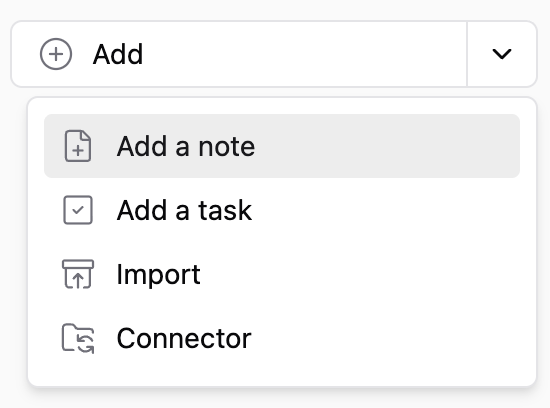
Option 1: Use the Add button
Click the Add button in the top-left corner.
Click the arrow next to it.
Select Add note.
Option 2: Create a note inside a specific folder
Find the folder you want.
Click the three-dots icon next to the folder name.
Select Add note.
The note will be created inside that folder.
Option 3: Create a note while inside a folder
Open the folder where you want the note.
Click the Note + icon in the top-left corner.
The note will be added to the currently open folder.
For a video walkthrough on how to create a new note on Saner.AI, you can check out this tutorial video: https://www.youtube.com/watch?v=wknvh-YyNEE
Was this helpful?
Still need help? Share an idea