Onboarding and Sample Notes
Written By Saner.AI
Last updated 10 months ago
Onboarding Experience in Saner.AI
After you log in, Saner.ai walks you through a short onboarding experience to help you understand the core features and get value quickly.
Onboarding Tour
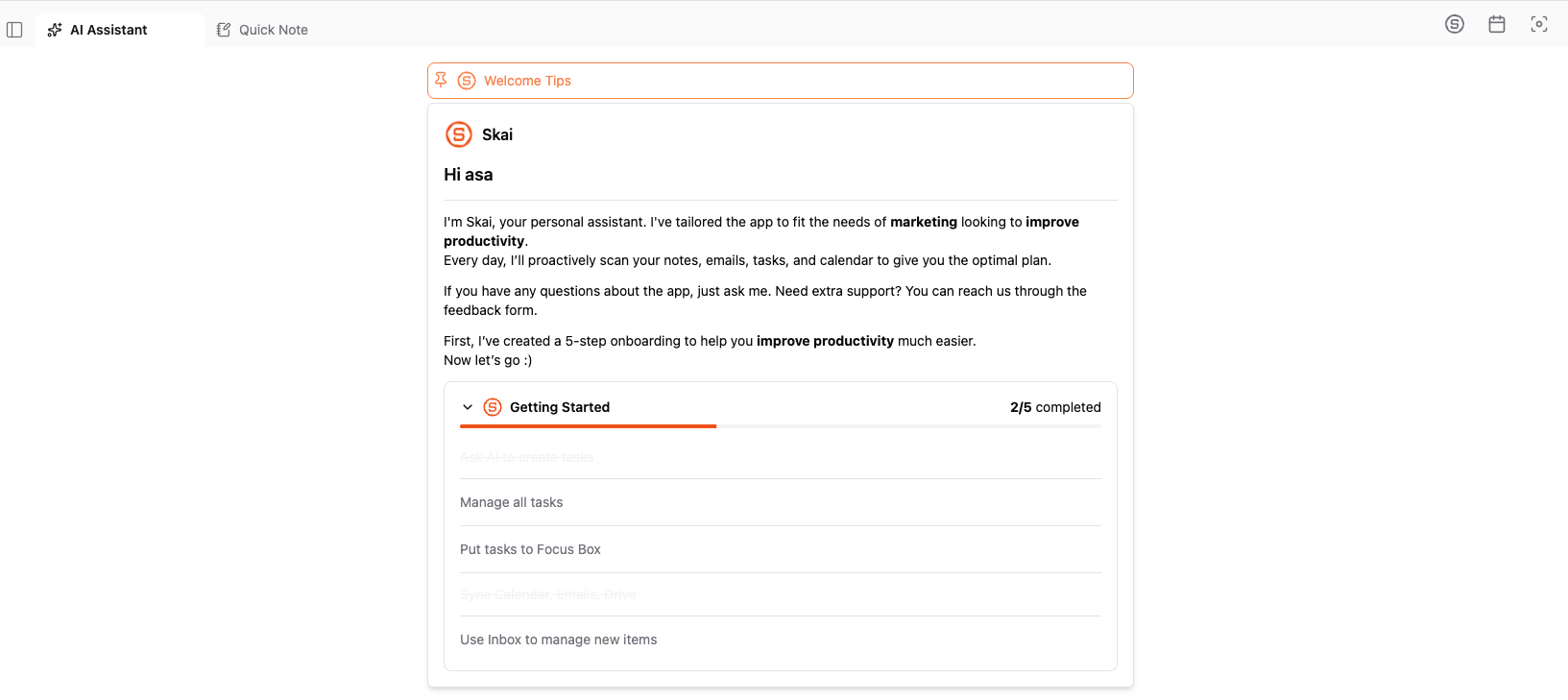
The onboarding tour is a guided, step-by-step walkthrough of the app.
On the Home dashboard, select Start Tour to begin
The tour highlights key areas and features as you move through the app
You can skip the tour at any time if you prefer to explore on your own
The onboarding guide appears at the top of the Home dashboard and automatically disappears once all steps are completed
Sample Notes
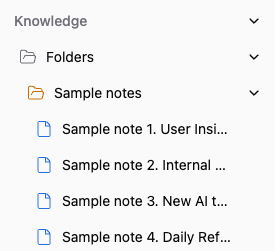
As part of onboarding, Saner.ai automatically creates a set of sample notes in your workspace.
These sample notes show how Skai, your AI assistant, understands context
They demonstrate how Skai generates replies and proactive suggestions
During your first signup or login, Skai will use these sample notes as initial context when responding to you.
If you see answers from Skai that reference information not in the data you created/synced, you can check whether it came from the sample notes. You can delete the sample notes at any time.
Remove Sample Notes
If you’d like to delete the sample notes:
Go to the Knowledge section
Open the Sample Notes folder
Delete the notes inside the folder
Removing the sample notes does not affect your ability to use Skai or any other feature.
Was this helpful?
Still need help? Share an idea