Notification Hub
This is useful for learning how to use the Notifications page to manage alerts, reminders, and task deadlines effectively.
Written By Saner.AI
Last updated 10 months ago
The Notification Hub is where you see and manage all important updates in Saner.AI. You can open it by clicking the bell icon in the top-left corner of the app.
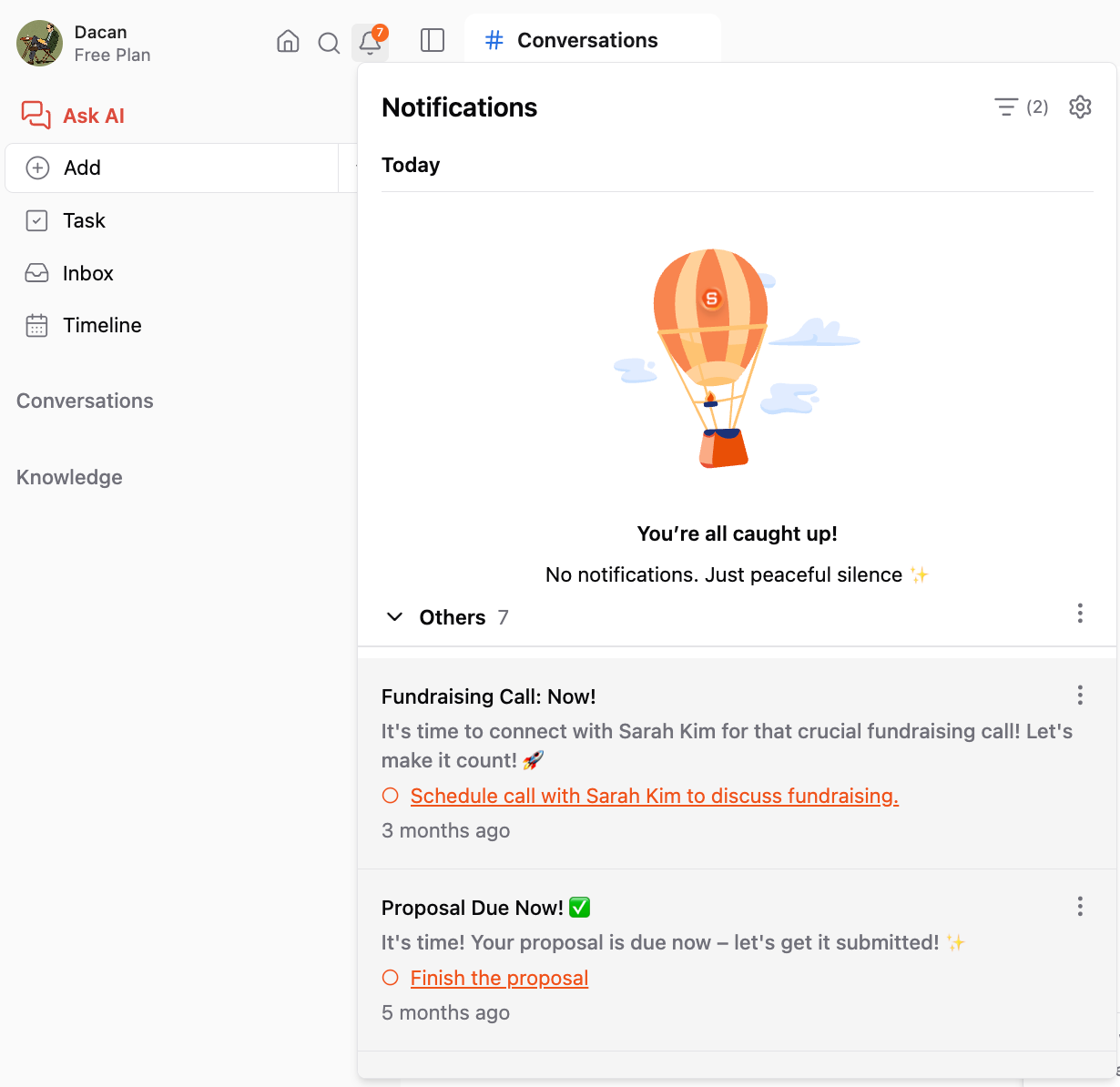
It keeps you informed about things that need your attention, such as reminders and task deadlines, so nothing slips through the cracks.
What you’ll find in the Notification Hub
The Notification Hub is organized into three tabs:
Unread: Notifications you haven’t viewed or acted on yet.
Read: Notifications you’ve already opened or interacted with.
Snoozed: Notifications you’ve temporarily postponed to check later.
What you can do with a notification
Each notification is actionable. From the Notification Hub, you can:
Open and edit the related task or note
Change a task’s due date
Mark a task as done
Snooze the notification
When snoozing, you can choose a quick option like Tonight or Tomorrow, or set a custom time.
Additional controls
At the top of the page, you’ll find:
Mark all as seen - clears all unread notifications at once
Notification settings - lets you adjust how and when you receive alerts
If browser notifications are turned off, Saner.AI will prompt you to enable them so you can receive real-time alerts outside the app.
Was this helpful?
Still need help? Share an idea